Documents from clients
Freelancers and small offices: collect IDs, contracts and invoices without email attachments sitting around.
File Request · No sign-up
Make a link and share it. Anyone can send you documents, photos or scans through it, without an account. Every file is locked on their device before it's uploaded, and only your private link can open it.
Send the password in a different app than the link.
1. Share this link with whoever sends the files
2. Your private link to open the files
Save this link (bookmark it or keep it in your notes). Anyone with it can open the files, and if you lose it, nobody can recover them, not even us. It's also saved in this browser.
Open my filesSaved only in this browser. See if they were opened, or delete them early.
Saved only in this browser, with their private links.

They open your link, see what you asked for, pick the files and tap send. Each file is locked on their device first, with an optional name and note so you know who sent what.
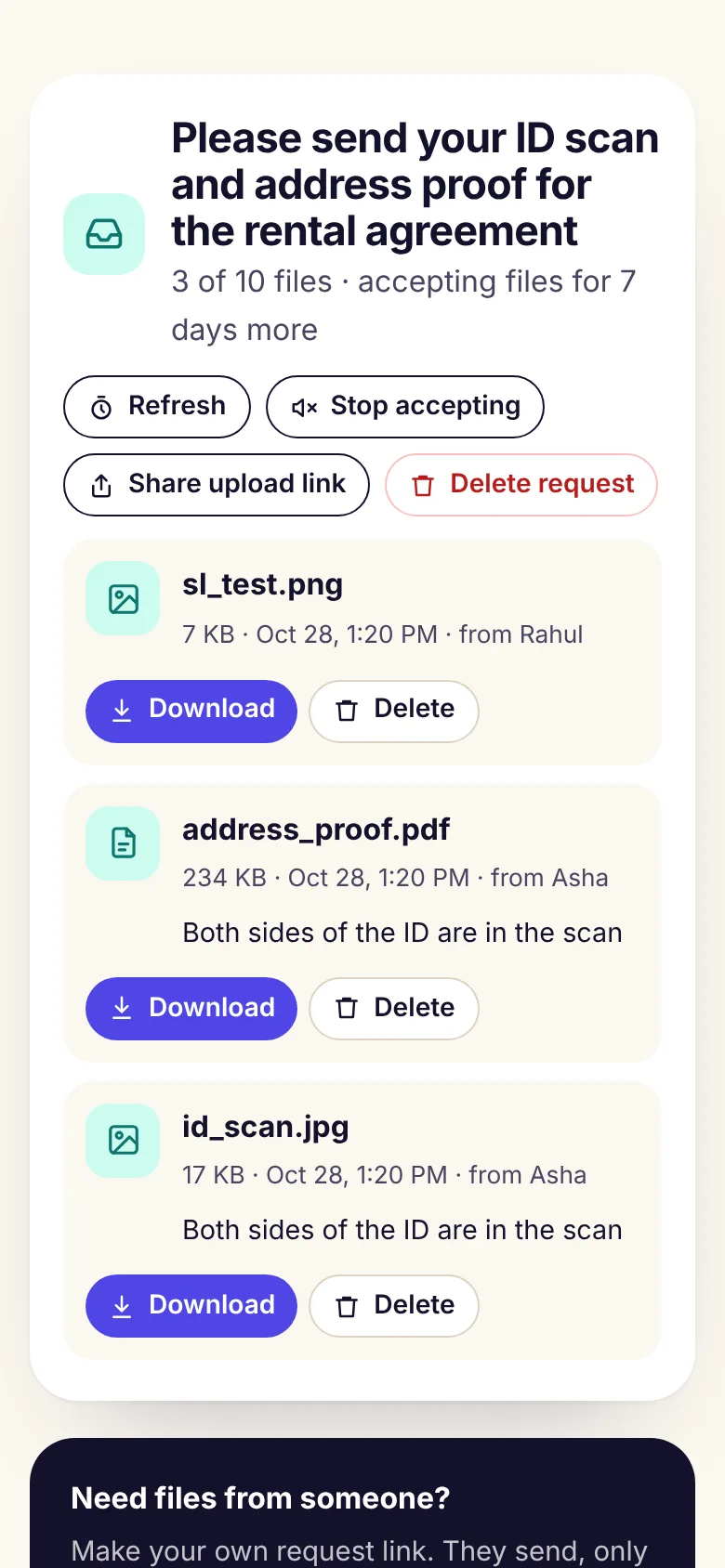
Open your private link to see every file with who sent it and their note. Download them, delete the ones you don't need, pause the request, or delete it all when you're done.
Use it for
Freelancers and small offices: collect IDs, contracts and invoices without email attachments sitting around.
Ask everyone for the wedding or trip photos in one place, at full quality.
Medical reports, bank statements or certificates, sent to you and nobody else.
Collect assignments or files from a group, then close the request when you have them.
Good to know
A link you send to someone so they can send you files, like documents, photos or scans. They don't need an account. Only you can open what they send.
No. Each file is locked in the sender's browser with your key before it is uploaded. The key that opens them is only in your private link, which never reaches our servers.
When you make a request you get two links: one to share, and a private one for you. Open the private one to see and download the files. Keep it safe: anyone with it can open the files, and if you lose it nobody can recover them, not even us.
Up to 10 MB each. For a big video, the sender can upload it to Google Drive and paste the share link in the note. You choose how many files it accepts, up to 50. Program files like .exe or .apk are blocked.
You choose 1 to 30 days. When the request ends it stops accepting files, and everything is deleted 3 days later. You can also delete files or the whole request at any time.
No. Neither you nor the people sending files need to sign up.
Free, no sign-up for you or them. Ready in seconds.